USB: Difference between revisions
CSV import |
CSV import |
||
| Line 79: | Line 79: | ||
[[Category:Computer connectors]] | [[Category:Computer connectors]] | ||
[[Category:USB]] | [[Category:USB]] | ||
<gallery> | |||
File:USB_Type-C_macbook.png|USB Type-C MacBook | |||
File:Certified_USB.svg|Certified USB | |||
File:USB_Type-A_receptacle_White.svg|USB Type-A Receptacle White | |||
File:USB_Type-A_receptacle_Black.svg|USB Type-A Receptacle Black | |||
File:USB_3.0_Type-A_receptacle_blue.svg|USB 3.0 Type-A Receptacle Blue | |||
File:USB_Type-B_receptacle.svg|USB Type-B Receptacle | |||
File:USB_3.0_Type-B_receptacle_blue.svg|USB 3.0 Type-B Receptacle Blue | |||
File:USB_Mini-A_receptacle.svg|USB Mini-A Receptacle | |||
File:USB_Mini-AB_receptacle.svg|USB Mini-AB Receptacle | |||
File:USB_Mini-B_receptacle.svg|USB Mini-B Receptacle | |||
File:USB_Micro-A.svg|USB Micro-A | |||
File:USB_3.0_Micro-A.svg|USB 3.0 Micro-A | |||
</gallery> | |||
Revision as of 11:44, 18 February 2025
Universal Serial Bus (USB)
The Universal Serial Bus (USB) is an industry standard that establishes specifications for cables, connectors, and protocols for connection, communication, and power supply between computers, peripherals, and other computers. USB was designed to standardize the connection of peripherals to personal computers, both to communicate and to supply electric power. It has largely replaced interfaces such as serial ports and parallel ports, and has become commonplace on a wide range of devices.
History
USB was developed in the mid-1990s by a group of seven companies: Compaq, DEC, IBM, Intel, Microsoft, NEC, and Nortel. The goal was to simplify the connection of external devices to computers by replacing the multitude of connectors at the back of PCs, addressing usability issues, and simplifying software configuration of all devices connected to USB, as well as permitting greater data transfer rates for external devices.
Versions
USB has evolved through several versions:
- USB 1.0: Released in January 1996, it had a data transfer rate of 1.5 Mbit/s (Low Speed) and 12 Mbit/s (Full Speed).
- USB 2.0: Released in April 2000, it increased the data transfer rate to 480 Mbit/s (High Speed).
- USB 3.0: Released in November 2008, it introduced a new transfer rate called SuperSpeed USB (5 Gbit/s).
- USB 3.1: Released in July 2013, it introduced SuperSpeed+ (10 Gbit/s).
- USB 3.2: Released in September 2017, it further increased the data transfer rate to 20 Gbit/s.
- USB4: Announced in August 2019, it supports data transfer rates up to 40 Gbit/s.
Connectors
USB connectors have evolved over time, with several types being used:
- USB Type-A: The original USB connector, widely used in computers and other devices.
- USB Type-B: Commonly used for printers and other powered devices.
- USB Mini and Micro: Smaller connectors used for mobile devices.
- USB Type-C: A reversible connector that supports higher power and data transfer rates.
Power and Charging
USB was designed to allow many peripherals to be connected using a single standardized interface socket and to improve plug-and-play capabilities by allowing hot swapping. USB can supply power to low-consumption devices, eliminating the need for a separate power supply cable.
Applications
USB is used in a wide variety of applications, including:
- Connecting peripherals such as keyboards, mice, and printers to computers.
- Charging and data transfer for mobile devices.
- External storage devices such as USB flash drives and external hard drives.
- Audio and video devices, including webcams and microphones.
Related pages
References
- "Universal Serial Bus (USB) Information." USB.org. Accessed October 2023.
- "USB Implementers Forum." USB-IF. Accessed October 2023.
Gallery
-
 USB Type-C on a MacBook
 -
 Certified USB logo
 -
 USB Type-A receptacle (white)
 -
 USB 3.0 Type-A receptacle (blue)
 -
 USB Type-B receptacle
 -
 USB 3.0 Type-B receptacle (blue)
 -
 USB Mini-A receptacle
 -
 USB Micro-A receptacle
 -
 USB Type-C receptacle pinout
 -
 USB icon
 -
 SanDisk Cruzer USB thumb drive
 -
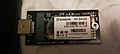 M.2 SSD connected to USB 3.0 adapter
 -
 Various USB cables
 -
 USB 5Gbps logo
 -
 USB 10Gbps logo
 -
 USB 20Gbps logo
 -
 USB 40Gbps logo
 -
 USB 80Gbps logo
 -
 USB Wireless certified logo


-
USB Type-C MacBook
-
Certified USB
-
USB Type-A Receptacle White
-
 USB Type-A Receptacle Black
 -
USB 3.0 Type-A Receptacle Blue
-
USB Type-B Receptacle
-
USB 3.0 Type-B Receptacle Blue
-
USB Mini-A Receptacle
-
 USB Mini-AB Receptacle
 -
 USB Mini-B Receptacle
 -
USB Micro-A
-
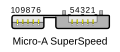 USB 3.0 Micro-A


