Arroz caldo: Difference between revisions
CSV import |
CSV import |
||
| Line 1: | Line 1: | ||
== Apple Pay == | |||
[[File:Apple Pay logo.svg|thumb|Apple Pay logo]] | |||
'''Apple Pay''' is a mobile payment and digital wallet service by [[Apple Inc.]] that allows users to make payments using an [[iPhone]], [[Apple Watch]], [[iPad]], or [[Mac]]. It was designed to move consumers away from physical wallets into a world where your debit and credit cards are on your iOS device, allowing you to pay using your device instead of a card. | |||
== | == History == | ||
Apple Pay was announced on September 9, 2014, during an Apple event where the [[iPhone 6]] and [[iPhone 6 Plus]] were also introduced. The service was officially launched in the United States on October 20, 2014. Since its launch, Apple Pay has expanded to many countries around the world, including the United Kingdom, Canada, Australia, and several countries in Europe and Asia. | |||
== | == How It Works == | ||
Apple Pay uses [[Near Field Communication]] (NFC) technology to transmit payment information securely between the user's device and the payment terminal. It also uses a method called [[tokenization]] to protect the user's card information. When a user adds a card to Apple Pay, the actual card numbers are not stored on the device or on Apple servers. Instead, a unique Device Account Number is assigned, encrypted, and securely stored in the Secure Element on the user's device. | |||
== | == Security and Privacy == | ||
Apple Pay is designed with security and privacy in mind. When you make a purchase, Apple Pay uses a device-specific number and a unique transaction code. So your card number is never stored on your device or on Apple servers, and when you pay, your card numbers are never shared by Apple with merchants. | |||
[[ | == Availability == | ||
[[ | [[File:Apple Pay Availabilitydec24.png|thumb|Apple Pay availability map]] | ||
[[ | Apple Pay is available in over 60 countries worldwide. The service is supported by most major banks and credit card companies, and it can be used at millions of retail locations that accept contactless payments. | ||
== Usage == | |||
To use Apple Pay, users must first add their credit or debit cards to the Wallet app on their iOS device. Once a card is added, users can make payments by holding their device near a contactless reader with their finger on [[Touch ID]] or by double-clicking the side button on devices with [[Face ID]]. | |||
== Acceptance == | |||
[[File:Apple Pay Acceptance Mark.svg|thumb|Apple Pay acceptance mark]] | |||
Apple Pay is accepted at a wide range of retailers, restaurants, and service providers. It can also be used for in-app purchases and on the web with [[Safari]] on supported devices. | |||
== Related Pages == | |||
* [[Mobile payment]] | |||
* [[Digital wallet]] | |||
* [[Near Field Communication]] | |||
* [[Apple Inc.]] | |||
== Gallery == | |||
<gallery> | |||
File:Apple-payment-square.jpg|Apple Pay in use at a retail location | |||
</gallery> | |||
[[Category:Mobile payments]] | |||
[[Category:Apple Inc.]] | |||
[[Category:Digital wallets]] | |||
Revision as of 18:31, 11 February 2025
Apple Pay

Apple Pay is a mobile payment and digital wallet service by Apple Inc. that allows users to make payments using an iPhone, Apple Watch, iPad, or Mac. It was designed to move consumers away from physical wallets into a world where your debit and credit cards are on your iOS device, allowing you to pay using your device instead of a card.
History
Apple Pay was announced on September 9, 2014, during an Apple event where the iPhone 6 and iPhone 6 Plus were also introduced. The service was officially launched in the United States on October 20, 2014. Since its launch, Apple Pay has expanded to many countries around the world, including the United Kingdom, Canada, Australia, and several countries in Europe and Asia.
How It Works
Apple Pay uses Near Field Communication (NFC) technology to transmit payment information securely between the user's device and the payment terminal. It also uses a method called tokenization to protect the user's card information. When a user adds a card to Apple Pay, the actual card numbers are not stored on the device or on Apple servers. Instead, a unique Device Account Number is assigned, encrypted, and securely stored in the Secure Element on the user's device.
Security and Privacy
Apple Pay is designed with security and privacy in mind. When you make a purchase, Apple Pay uses a device-specific number and a unique transaction code. So your card number is never stored on your device or on Apple servers, and when you pay, your card numbers are never shared by Apple with merchants.
Availability

Apple Pay is available in over 60 countries worldwide. The service is supported by most major banks and credit card companies, and it can be used at millions of retail locations that accept contactless payments.
Usage
To use Apple Pay, users must first add their credit or debit cards to the Wallet app on their iOS device. Once a card is added, users can make payments by holding their device near a contactless reader with their finger on Touch ID or by double-clicking the side button on devices with Face ID.
Acceptance

Apple Pay is accepted at a wide range of retailers, restaurants, and service providers. It can also be used for in-app purchases and on the web with Safari on supported devices.
Related Pages
Gallery
-
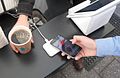 Apple Pay in use at a retail location

